
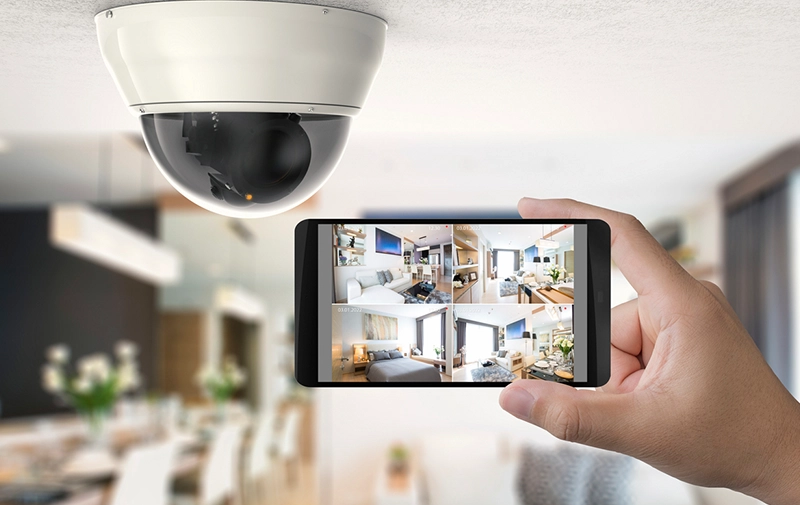
Tired of paying monthly fees just to keep your home safe? You’re not alone. Home security camera systems without subscription are becoming the top choice for beginners who want reliable protection without ongoing costs. This guide will show you how these systems work, what features matter, and how to choose the best one—without spending extra every month.
Need cameras installed? Check our surveillance camera installation services.
What Are Home Security Camera Systems Without Subscription?
A home security camera system with no monthly fee is a surveillance setup that works without requiring paid cloud storage or monitoring subscriptions.
Simple Definition:
These systems store footage locally (SD card, hard drive, or network storage) instead of relying on paid cloud services.
Core Components:
- Cameras (indoor/outdoor)
- Local storage (SD card/NVR)
- Mobile or desktop app
- Motion sensors
Many security cameras without subscription still offer optional cloud plans—but you don’t need them to use the system.
Many users prefer security cameras without subscription, and according to TechRadar, several modern cameras now offer local storage instead of paid cloud plans.
How Do Security Cameras Without Subscription Work?
These systems operate independently using local storage.
Basic Workflow:
- The camera records video
- Footage is stored locally (SD card/NVR)
- Motion triggers recording
- You access footage via an app or a device
Some wireless security cameras without subscription also allow remote viewing without monthly fees.
Types of No Subscription Home Security Systems
1. Wireless Security Cameras Without Subscription
- Connect via Wi-Fi
- Easy to install
- Ideal for beginners
2. Wired Systems (NVR/DVR-Based)
- Use cables for a stable connection
- Store footage on hard drives
- No internet needed
3. DIY Security Cameras No Monthly Fee
- Plug-and-play systems
- No professional installation
- Budget-friendly
4. Smart Cameras (Hybrid Systems)
- Offer optional cloud
- Use AI features locally
- App-based control
If you’re trying to reduce your CCTV installation cost, this article on smartphone integration for budget security systems shows how mobile-based monitoring can lower expenses without compromising safety.
Key Features to Look For
Choosing the right home surveillance system no monthly cost requires focusing on essential features.
Must-Have Features:
- Local storage (SD/NVR/DVR)
- 1080p or higher resolution
- Night vision
- Motion detection
- Mobile app access
Advanced Features:
- AI detection (person, vehicle)
- Two-way audio
- Remote viewing without subscription
- Smart home compatibility
Comparison Table: Best Security Cameras No Subscription Required
| Feature | Basic DIY Camera | Wireless Smart Camera | NVR System |
| Storage | SD Card | SD + Optional Cloud | Hard Drive |
| Internet Required | Optional | Yes | No |
| Installation | Easy | Easy | Moderate |
| Video Quality | 1080p | 2K/4K | 2K/4K |
| Monthly Fee | ❌ None | ❌ Optional | ❌ None |
| Best For | Small homes | Smart homes | Full surveillance |
Energy-efficient devices recommended by Energy.gov can help reduce long-term costs associated with home security camera installation cost.
Pros and Cons
✔️ Pros:
- No recurring monthly fees
- Full control over your data
- Works offline (some systems)
- Cost-effective long-term
❌ Cons:
- Limited cloud backup
- Storage management required
- Advanced features may be restricted
If you want flexibility, wireless security cameras without subscription are a great option, as highlighted in this comparison by CNET.
Step-by-Step Guide: DIY Security Cameras No Monthly Fee
Setting up your DIY security cameras no monthly fee system is simple.
Step 1: Choose the Right Camera Type
- Indoor or outdoor
- Wireless or wired
Step 2: Install Storage
- Insert the SD card
- Or set up NVR/DVR
Step 3: Position Cameras
- Entry points
- Hallways
- Backyard
Step 4: Connect to App
- Scan QR code
- Sync device
Step 5: Configure Settings
- Motion alerts
- Recording mode
Step 6: Test Your System
- Walk through detection zones
- Check recordings
Expert Tips (Pro Insights)
Use high-capacity SD cards (128GB+) for longer recordings.
Place cameras at 7–10 feet height for better coverage
Use offline recording backup for security
Avoid placing cameras near reflective surfaces
Regularly format storage to maintain performance
The Federal Trade Commission (FTC) recommends checking total ownership costs, including installation, when evaluating CCTV installation charges per camera.
Featured Snippet Q&A Section
What is a home security camera system without subscription?
A home security camera system without subscription stores video locally instead of using paid cloud services. It allows users to monitor, record, and access footage without monthly fees, making it a cost-effective and private security solution.
How to use security cameras without subscription?
To use security cameras without subscription, insert a storage device like an SD card or connect to an NVR system. Configure settings via the app, enable motion detection, and access footage directly without paying for cloud services.
Why choose no subscription security cameras?
No subscription security cameras eliminate monthly costs, provide full data control, and often work offline. They are ideal for users who want long-term savings and privacy without relying on cloud-based storage.
What is the best way to store footage without the cloud?
The best way is to use local storage such as SD cards, external hard drives, or NVR systems. These options ensure secure, offline recording and eliminate dependency on internet connectivity.
Do wireless security cameras without subscription need internet?
No, some wireless cameras can record locally without the internet. However, internet access is needed for remote viewing and mobile alerts.
Additional FAQs (AEO Boost)
Are security cameras without subscription worth it?
Yes, they are cost-effective and provide long-term savings without sacrificing essential security features.
Can I access footage remotely without paying?
Some systems allow remote viewing without subscription, depending on the brand and app features.
How much storage do I need?
Typically, 64GB–256GB SD cards are sufficient for most home users.
Are these systems safe from hacking?
Yes, especially if they operate offline or use strong encryption and passwords.
Do they support night recording?
Yes, most modern systems include infrared night vision.
Can I expand my system later?
Yes, many systems allow adding more cameras easily.
What brands offer no subscription cameras?
Popular brands include Eufy, Reolink, Arlo (limited free features), and Wyze.
Conclusion
Choosing home security camera systems without subscription is one of the smartest ways to protect your home without ongoing costs.
Key takeaways:
- No monthly fees = long-term savings
- Local storage ensures privacy
- DIY systems make setup easy
Whether you need wireless security cameras without subscription or a full home surveillance system no monthly cost, there’s a perfect option for every beginner. Start with a no subscription home security system today and enjoy peace of mind—without the extra cost. Need help picking the best camera for your home? Ask us, and we’ll recommend the perfect option based on your budget and needs.