 Skip to content
What Surveillance Camera Is the Best for Your Property? Here’s How to Actually Decide
You’ve decided it’s time to install surveillance cameras. Maybe your neighbor had a break-in. Maybe your business had an incident. Maybe you’ve just been putting it off, and you’re done procrastinating. Either way, you’ve opened a browser, searched “what surveillance camera is the best,” and landed in a sea of spec sheets, brand names, megapixels, and marketing language that all blur together.
Here’s the uncomfortable truth: the best outdoor and indoor security cameras for your property aren’t necessarily the most expensive ones, the most popular ones, or the ones your buddy recommends. It’s the one that matches your specific environment, threat profile, storage preferences, and long-term operational needs.
This guide cuts through the noise. By the time you finish reading, you’ll know exactly what questions to ask, what features actually matter, what to ignore, and how to build a surveillance system that works — not just on paper, but in the real world.
What Makes a Surveillance Camera System “The Best”?
The phrase “best surveillance camera” is inherently relative. A high-resolution outdoor bullet camera that performs brilliantly in a commercial parking lot would be overkill — and poorly suited — for monitoring a small retail checkout area. Conversely, a compact indoor dome camera designed for a boutique office would be completely inadequate for securing a loading dock.
“Best” in surveillance technology is defined by fit: the alignment between a camera’s capabilities and the specific demands of the environment it’s meant to protect.
Modern commercial video surveillance systems have evolved far beyond simple recording. They now act as AI-powered sensors and business intelligence tools that help organizations run operations more efficiently — playing a dual role of protecting people and property while delivering insights for smarter decisions.
To find the best smart security cameras with a mobile app and high resolution for your situation, evaluate five core dimensions: resolution and image quality, camera type and placement, connectivity and power architecture, storage method, and smart features. Each of these is addressed in depth below.
Why Choosing the Right Surveillance Camera Matters More Than Ever
The security camera market has exploded with options, and with that expansion has come a corresponding rise in poorly informed purchasing decisions. Businesses and homeowners install cameras in the wrong locations, purchase systems that don’t scale, choose wireless cameras where wired reliability is needed, or invest in 4K resolution without adequate storage infrastructure to support it.
The result: surveillance systems that create a false sense of security rather than genuine protection.
The deterrent effect of security systems is well-documented. A UNC Charlotte study of convicted burglars found that around 60% said they would seek an alternative target upon detecting a security system, and 83% checked for one before attempting a break-in.
Beyond deterrence, surveillance footage has become a critical tool for liability protection. A photography studio used security footage to defend against a false damage claim — the video clearly showed equipment leaving in perfect condition. A dental clinic used smart alerts to detect after-hours motion, proving the system’s reliability when it mattered. These aren’t edge cases. They’re the everyday practical value that well-chosen surveillance systems deliver.
“A surveillance camera only protects you if it captures what you actually need to see, when you need to see it, in enough detail to act on.”
Key Factors to Evaluate When Choosing the Best Surveillance Camera
Resolution — How Much Detail Do You Actually Need?
Resolution determines how much visual information your camera captures — and how useful that footage is when you need to review it. The industry has moved decisively toward higher resolution as standard.
While 1080p is “fine,” 4K has become the standard for being able to zoom in and actually read a license plate or recognize a face from 30 feet away. In practical terms, 4K resolution gives you the ability to digitally zoom into recorded footage after an incident and still extract meaningful detail — a face, a vehicle make, a license plate number. 1080p footage often becomes too pixelated under that same digital zoom.
For high-stakes environments — building entrances, parking areas, cash handling zones, server rooms — 4K (8 megapixel) or higher should be considered minimum. For interior spaces with controlled lighting and shorter viewing distances, 1080p may still be adequate.
Note that higher resolution also means larger file sizes and greater demand on your storage infrastructure. A 4K camera generates roughly four times the data of a 1080p camera at comparable frame rates. This makes storage planning an essential part of any resolution decision.
Camera Type — Dome, Bullet, or PTZ?
Camera form factor determines not just aesthetics but functionality, field of view, and vulnerability to tampering. Choosing the wrong camera type for a location is one of the most common and costly mistakes in surveillance system design.
Dome cameras are mounted flush to ceilings or overhangs. Their housing conceals the direction the lens is pointed, making them harder to “read” by potential intruders. They are vandal-resistant, suited for indoor environments and covered outdoor areas, and create a wide coverage footprint from a single mounting point. They’re the standard choice for retail floors, lobbies, corridors, and offices.
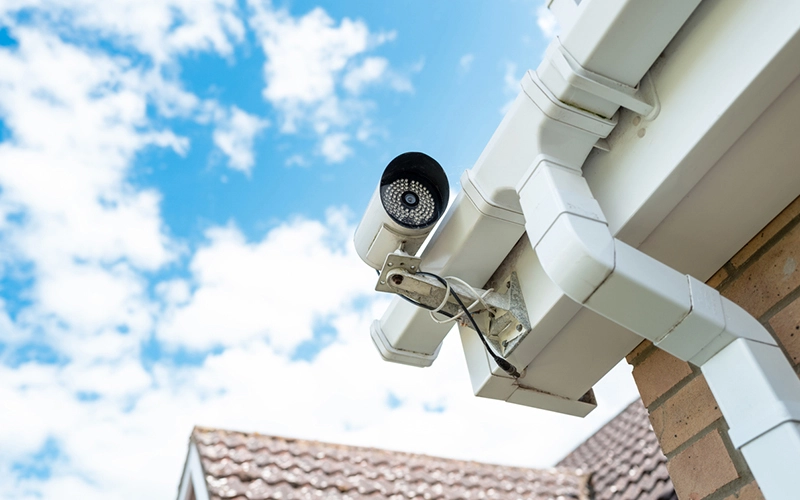
Bullet cameras have an elongated, visible cylindrical form and are typically bracket-mounted. Bullet cameras are the top choice for business surveillance, particularly for long-range outdoor surveillance covering parking lots, perimeters, and loading docks. Their visible profile also serves as a deterrent — they communicate clearly that the area is monitored.
PTZ cameras (Pan-Tilt-Zoom) are motorized units that can rotate, tilt, and optically zoom to track subjects across a large area. PTZ cameras are the ultimate cameras for total surveillance, ideal for active tracking in large areas such as warehouses, casinos, and campuses. However, their biggest drawback is cost — they are more expensive than fixed camera options and require more complex installation.
For most commercial deployments, a mix of dome cameras for interior coverage and bullet or PTZ cameras for perimeter monitoring is the most effective architecture.
Wired vs. Wireless — The Connectivity Decision That Defines Your System
The choice between wired and wireless surveillance is one of the most consequential decisions in any system design, and the “right” answer depends on your building’s infrastructure, the permanence of your installation, and your reliability requirements.
Wired PoE (Power over Ethernet) systems run a single Ethernet cable from each camera to a central Network Video Recorder (NVR). That single cable carries both data and power — no separate electrical wiring required. PoE systems create a closed-circuit, high-definition powerhouse that works even if your internet goes down. They are the preferred choice for permanent commercial installations where uptime, video quality, and cybersecurity are non-negotiable.
Wireless Wi-Fi cameras offer installation flexibility, particularly in environments where running cable is impractical — older buildings, temporary job sites, rental properties. Commercial wireless security cameras are increasingly used for temporary job sites, outdoor lots, or retrofitting older buildings where cabling is impossible. Enterprise-grade wireless systems utilize secure, encrypted transmission protocols to protect sensitive business footage from unauthorized interception.
The tradeoff: wireless cameras are susceptible to signal interference, battery depletion (for battery-powered units), and network congestion. For mission-critical locations, wired PoE is the more dependable architecture.
Surveillance Cameras with Night Vision
A surveillance system that goes effectively blind after dark is not a security system — it’s a daytime decoration. Night vision capability is non-negotiable for any outdoor camera and for many interior environments where lighting is inconsistent.
Infrared (IR) night vision illuminates a scene using invisible infrared light, capturing footage in black and white in near-total darkness. Traditional IR provides coverage ranging from 30 to 130+ feet, depending on the camera specification.
Color night vision — also called full-color night vision or starlight technology — uses highly sensitive sensors to capture footage in full color under low-light conditions. Modern sensors can see in full color even in near-total darkness, replacing the “ghostly green” footage of older infrared systems. For environments where color detail matters — identifying clothing, vehicle color, or specific individuals — color night vision dramatically improves the usefulness of after-dark footage.
For commercial deployments, specify at a minimum the coverage range and whether the camera uses IR or true color low-light technology. Longer perimeter distances require cameras with extended IR or powerful color sensors designed for that range.
Smart Features — AI Detection, Mobile Apps, and Integration
The defining shift in surveillance technology over the past several years is the migration from passive recording to active intelligent detection. Modern cameras do far more than capture footage — they analyze it in real time.
The biggest shift is the rise of IP cameras with “Edge AI.” Instead of sending every second of footage to a recorder for processing, the intelligence is now inside the camera itself. Modern IP cameras can detect specific events — like a package being delivered or a person loitering in a restricted zone — and only alert you when it actually matters.
Key smart features to look for include:
Person and vehicle detection — distinguishes between human subjects and animals, vehicles, or environmental movement (branches, lighting changes), dramatically reducing false alarm rates.
License plate recognition (LPR) — captures and logs plate data from vehicles entering or exiting a monitored area. Essential for parking facilities, gated communities, and commercial campuses.
Cross-camera tracking — follows a subject seamlessly between multiple camera zones without operator intervention.
Two-way audio — allows live communication through the camera’s built-in speaker and microphone. Useful for deterring loiterers, directing delivery personnel, or remotely managing access.
Mobile app integration — allows you to view live feeds, review recorded footage, receive alerts, and manage camera settings from a smartphone. Active deterrence cameras with built-in sirens and spotlights can trigger automatically when an intruder is detected.
Indoor vs. Outdoor Surveillance Cameras: Understanding the Difference
Outdoor surveillance cameras face environmental challenges that indoor units never encounter — rain, dust, extreme temperatures, UV exposure, and physical tampering. Choosing an indoor camera for an outdoor location is a guaranteed path to premature equipment failure.
Indoor cameras can use a wider range of housing types—including discreet mini-dome and pinhole cameras—without weatherproofing requirements but should still be chosen for IK ratings (impact resistance) in public-facing environments where physical tampering is a risk.
Cloud Storage vs. Local NVR Storage: Where Should Your Footage Live?
Storage is where many surveillance buyers make decisions they later regret. The choice between cloud and local storage has implications for cost, privacy, reliability, and long-term management.
Local NVR storage keeps footage on a physical hard drive housed in your facility. NVR systems are great for privacy—all footage stays on a hard drive in your building, there are no monthly fees, and they work even if your internet goes down. For businesses with compliance requirements around data residency, or organizations that handle sensitive operations, local storage is often mandatory.
Cloud storage routes footage to a remote server, making it accessible from anywhere and protected even if your on-site hardware is stolen or damaged. The tradeoff is a recurring subscription cost and reliance on a consistent internet connection.
Many businesses now use a “dual storage” approach — recording high-resolution footage to a local NVR while sending lower-resolution event clips to the cloud for backup. Cloud evidence is safely stored on a remote server even if a burglar takes the NVR. This hybrid architecture is increasingly considered best practice for commercial deployments.
Common Mistakes When Choosing Surveillance Cameras
Buying cameras without a coverage plan.
Without a site map that identifies every entry point, blind spot, and critical zone, camera placement becomes guesswork. Engage a security professional to conduct a site assessment before selecting equipment.
Choosing resolution without addressing storage.
Installing 4K cameras on a storage system designed for 1080p will exhaust drive capacity within days, overwrite critical footage, or force you to compress video to the point of losing the resolution benefits you paid for.
Ignoring cybersecurity.
IP cameras that aren’t updated, segmented from your main network, or protected with strong credentials are potential entry points for network intrusion. Enterprise-grade manufacturers invest heavily in cybersecurity, reliability, and long-term support — all essential for commercial deployments. Consumer-grade cameras from unverified manufacturers have been documented as significant network security liabilities.
Underestimating the exterior environment.
Installing a camera without verifying its IP weatherproofing rating, operating temperature range, and vandal resistance for its specific location is a guarantee of premature failure.
Installing obvious camera blind spots.
A camera positioned to cover a main entrance but missing an adjacent alley or service door creates a predictable gap. Professional installers design for interlocking fields of view that eliminate exploitable dead zones.
What Do Best Home Surveillance Camera Systems Cost?
The cost of a surveillance system depends on the number of cameras, resolution, camera type, storage capacity, whether installation is DIY or professional, and whether you include monitoring services.
Affordable home security camera systems don’t mean a low-quality one. Look for non-negotiable features like 1080p HD video, clear night vision, and smart motion detection to ensure you get effective security without overspending.
For a home or small business with four to eight cameras, a professionally installed PoE NVR system offers reliable long-term value — no monthly cloud fees, full ownership of footage, and commercial-grade reliability. Larger commercial installations with multiple sites, integrated access control, and centralized video management software represent a more significant investment, but one that scales efficiently as your operation grows.
Many insurance carriers offer premium reductions for verified surveillance systems, partially offsetting the installation cost. The liability value of documented incident footage is an additional financial consideration that is difficult to quantify prospectively but highly significant when needed.
What People Ask About Surveillance Cameras (Straight Answers)
What is the best type of surveillance camera for a small business?
For most small businesses, a wired PoE NVR system with dome cameras indoors and bullet cameras covering exterior entry points offers the best combination of image quality, reliability, and data privacy. Look for systems with AI-powered motion detection to minimize false alerts.
Do I need 4K surveillance cameras, or is 1080p enough?
If you need to identify faces, read license plates, or zoom into recorded footage for incident review, 4K is strongly recommended. For wide interior spaces with close-range monitoring needs, 1080p may be sufficient — but the price gap between the two has narrowed considerably, making 4K the sensible default for new installations.
Can surveillance cameras work without Wi-Fi?
Yes. Wired PoE cameras connected to a local NVR record continuously without any internet connection. You only need internet access if you want to view live feeds remotely via a mobile app or enable cloud backup.
What is the best surveillance camera for outdoor use at night?
Look for cameras with full-color night vision (also called starlight or color-in-dark), a minimum IP66 weatherproof rating, and a detection range appropriate for your perimeter. AI-powered detection that distinguishes people from animals will reduce false alerts significantly.
Are wireless surveillance camera systems reliable for business use?
For permanent commercial installations, wired PoE systems are generally preferred for reliability and cybersecurity. Wireless systems are well-suited for temporary deployments, retrofit situations, or areas where cabling is impractical—provided they use encrypted transmission and a secured network.
Frequently Asked Questions
What surveillance camera is the best for home use in 2026?
The best home surveillance cameras in 2026 combine 4K resolution, full-color night vision, AI-powered person detection, and local NVR or microSD storage to avoid subscription fees. For homeowners wanting professional-grade reliability, a PoE camera system with a dedicated NVR is among the top-rated security cameras for home use.
How many surveillance cameras does my home or business need?
The number depends on your property’s square footage, number of entry points, and blind spots. A professional security assessment is the most reliable way to determine optimal camera count and placement — generic recommendations often result in coverage gaps.
What is the difference between IP cameras and CCTV?
Traditional CCTV (Closed Circuit Television) refers to analog camera systems connected by coaxial cable. IP cameras transmit digital video data over an Ethernet network, enabling remote access, higher resolution, and smart analytics. Most modern installations use IP camera technology.
Do surveillance cameras deter crime?
Research consistently supports the deterrent effect of visible surveillance cameras, particularly for opportunistic crimes. Cameras that are prominently placed, in good working condition, and complemented by adequate lighting and signage have the strongest deterrent effect.
Can I view my surveillance cameras on my phone?
Yes. Most modern IP camera systems include mobile apps that allow live viewing, footage review, alert management, and remote system control from any smartphone. Ensure the system you choose offers encrypted app access to protect your feed from interception.
How long do surveillance cameras store footage?
Storage duration depends on the number of cameras, resolution, frame rate, and the capacity of your storage system. Most businesses configure systems to retain 30 to 90 days of footage before older recordings are overwritten. High-risk environments may require longer retention.
Do surveillance cameras reduce insurance premiums?
Many commercial insurance carriers offer premium discounts for verified surveillance systems, particularly when cameras cover all entry points, and footage is retained for a specified period. Check with your insurer for specific requirements and discount structures.
What is the best indoor surveillance camera for a retail store?
Dome cameras with wide-angle lenses, high resolution, and AI-based behavior analytics are the standard choice for retail environments. Features like cross-camera tracking, queue monitoring, and shoplifter detection are increasingly standard in commercial retail surveillance deployments.
The Best Surveillance Camera Is the One That Fits Your Reality
The security camera market in 2026 offers extraordinary technology at increasingly accessible price points. But technology is only as effective as the strategy behind it. The highest-resolution camera on the market, poorly positioned or inadequately supported by storage and integration, delivers less real security than a well-planned system of mid-range equipment.
Understanding what surveillance cameras are best for your needs means understanding your environment first — then choosing the technology to match it.
“The best surveillance system isn’t the one with the most cameras. It’s the one that leaves no question unanswered when something goes wrong.”
At Honor Security, our team conducts full site assessments before recommending a single camera. We design systems around your specific property layout, risk profile, compliance requirements, and budget — then install and support them for the long term. Explore our surveillance solutions at Honor Security and get the system your property actually needs, not just the one that looks good on a spec sheet.
