
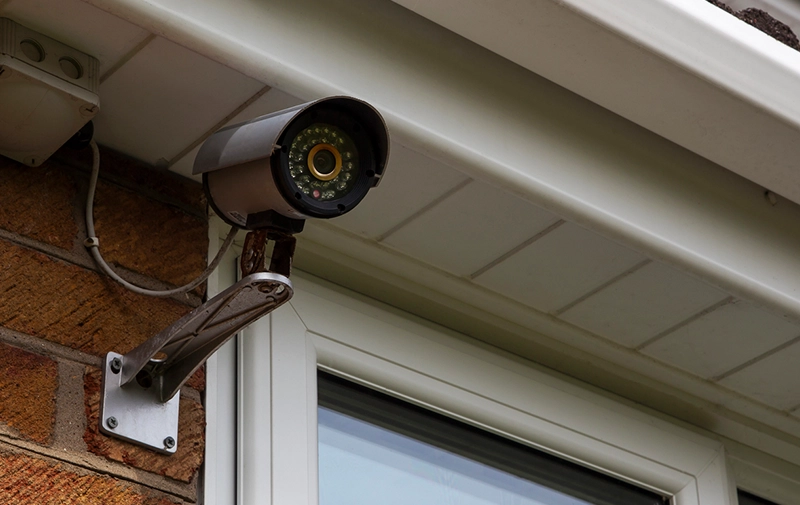
Worried about home security but don’t want messy wiring or expensive installations? You’re not alone. Wireless home security systems with cameras are now the go-to solution for beginners who want simple, smart, and effective protection. In this guide, you’ll learn exactly how they work, what to buy, and how to set them up—even if you’re starting from zero.
If you’re just starting out, this wireless home security systems guide explains how these systems work and why they’re ideal for modern homes.
What Are Wireless Home Security Systems With Cameras?
A wireless home security system with cameras is a setup that uses Wi-Fi or radio signals to monitor your home without physical cables connecting each device.
Key Components:
- Cameras (indoor/outdoor)
- Motion sensors
- Mobile app
- Cloud or local storage
- Smart hub (optional)
These systems send real-time alerts to your phone and let you monitor your home from anywhere.
Upgrade your building security with our advanced security technologies solutions.
How Do Wireless Security Cameras Systems Work?
Wireless systems connect cameras to your home network instead of using wires.
Here’s how it works:
- Camera captures video
- Sends data via Wi-Fi
- Stores footage (cloud or SD card)
- Alerts you via app when motion is detected
Most smart wireless home security cameras also integrate with voice assistants like Alexa or Google Assistant.
Modern security setups often go beyond cameras, and this guide on integrated systems in security checkpoints explains how combining multiple technologies can improve efficiency and reduce overall surveillance camera installation cost.
Types of Wireless Security Cameras Systems
Indoor Wireless Security Camera Setup
- Ideal for monitoring rooms, kids, and pets
- Compact and easy to install
Outdoor Wireless Security Cameras System
- Weatherproof
- Night vision & motion detection
- Covers entry points
DIY Wireless Security Camera System
- No professional installation needed
- Plug-and-play setup
Smart Wireless Home Security Cameras
- AI detection (people, vehicles)
- App automation
- Smart home integration
Key Features to Look For
When choosing a home security system with cameras wireless, focus on:
Must-Have Features:
- 1080p or 4K resolution
- Night vision
- Motion detection alerts
- Two-way audio
- Cloud + local storage
Advanced Features:
- AI detection (human vs object)
- Smart alerts
- Facial recognition
- Activity zones
According to experts at SafeWise, a good wireless home security system with cameras should include motion detection, mobile alerts, and easy DIY installation.
Comparison Table: Top Wireless Security Camera Systems
| Feature | Basic DIY System | Mid-Range Smart System | Premium Smart System |
| Video Quality | 1080p | 2K | 4K |
| Storage | SD Card | Cloud + SD | Cloud AI Storage |
| Smart Features | Limited | Moderate | Advanced AI |
| Installation | Easy DIY | DIY | DIY + Optional Pro |
| Price | Low | Medium | High |
Independent testing from Consumer Reports shows that the best wireless security cameras system balances video quality, storage, and reliability.
Pros and Cons of Wireless Security Cameras Systems
Pros:
- Easy installation (DIY friendly)
- No drilling or wiring
- Remote access via smartphone
- Scalable (add more cameras anytime)
Cons:
- Depends on Wi-Fi reliability
- Battery maintenance required
- Cloud storage may cost extra
Step-by-Step Guide: DIY Wireless Security Camera System Setup
Setting up your DIY wireless security camera system is easier than you think.
Step 1: Choose Camera Locations
- Entry doors
- Backyard
- Living room
Step 2: Install Cameras
- Mount or place cameras
- Ensure a wide-angle view
Step 3: Connect to Wi-Fi
- Use the mobile app
- Scan QR code
Step 4: Configure Settings
- Enable motion alerts
- Set recording preferences
Step 5: Test the System
- Walk through detection zones
- Check notifications
Expert Tips (Pro Insights)
✔ Place cameras at 7–9 feet height for the best angle
✔ Avoid pointing directly at the sunlight
✔ Use dual-band Wi-Fi (2.4GHz + 5GHz)
✔ Set motion zones to reduce false alerts
✔ Combine indoor + outdoor systems for full coverage
If you’re planning placement, CNET’s guide covers both indoor wireless security camera setup and outdoor wireless security cameras system options.
Featured Snippet Q&A Section
What is a wireless home security system with cameras?
A wireless home security system with cameras uses Wi-Fi to connect cameras and sensors, allowing remote monitoring through a mobile app without physical wiring. It provides real-time alerts, video recording, and smart home integration for convenient home protection.
How to install a wireless security camera system?
To install a wireless security cameras system, mount the camera, connect it to Wi-Fi using a mobile app, configure motion detection settings, and test the system. Most DIY systems take less than 30 minutes per camera.
Why choose wireless over wired security systems?
Wireless systems are easier to install, more flexible, and portable compared to wired systems. They don’t require drilling or complex setup, making them ideal for beginners and renters.
What is the best place to install outdoor wireless cameras?
The best places include front doors, backyards, garages, and driveways. Install cameras at a height of 7–9 feet for optimal coverage and to prevent tampering.
Do wireless security cameras work without internet?
Yes, some wireless security cameras systems can record locally using SD cards without internet. However, features like remote viewing and alerts require an internet connection.
Additional FAQs (AEO Boost)
Are wireless home security cameras safe from hacking?
Yes, if you use strong passwords, enable two-factor authentication, and keep firmware updated, your system remains secure.
How long do wireless camera batteries last?
Most batteries last between 1 and 6 months, depending on usage and motion activity.
Can I use wireless cameras without a subscription?
Yes, many systems offer local storage options, avoiding monthly fees.
What internet speed is required?
At least 2–5 Mbps per camera is recommended for smooth streaming.
Are DIY wireless systems reliable?
Yes, modern DIY wireless security camera systems are highly reliable and widely used by homeowners.
Can I expand my system later?
Absolutely. Most systems allow adding multiple cameras and sensors anytime.
Do wireless cameras record continuously?
Some do, but most record only when motion is detected to save storage and battery.
Conclusion
Choosing the right wireless home security system with cameras doesn’t have to be complicated.
Focus on:
- Easy setup (DIY systems)
- Essential features (HD video, motion alerts)
- Reliable connectivity
Whether you want a simple indoor setup or a full outdoor wireless security cameras system, there’s a perfect solution for beginners.
Secure Your Home
Start with a DIY wireless security camera system today and take control of your safety—no technician required. Want help choosing the best system for your budget? Ask us, and we’ll recommend the perfect option for you.